Forest Color Palette
A lush forest color palette — mossy green, deep emerald, bark brown, and sunlit leaf. Hex codes ready for nature-inspired designs.
A forest color palette captures Mist, New Leaf, Forest Green, and 3 more coordinated tones — ready-to-copy hex codes for web design, branding, UI themes, and creative projects.
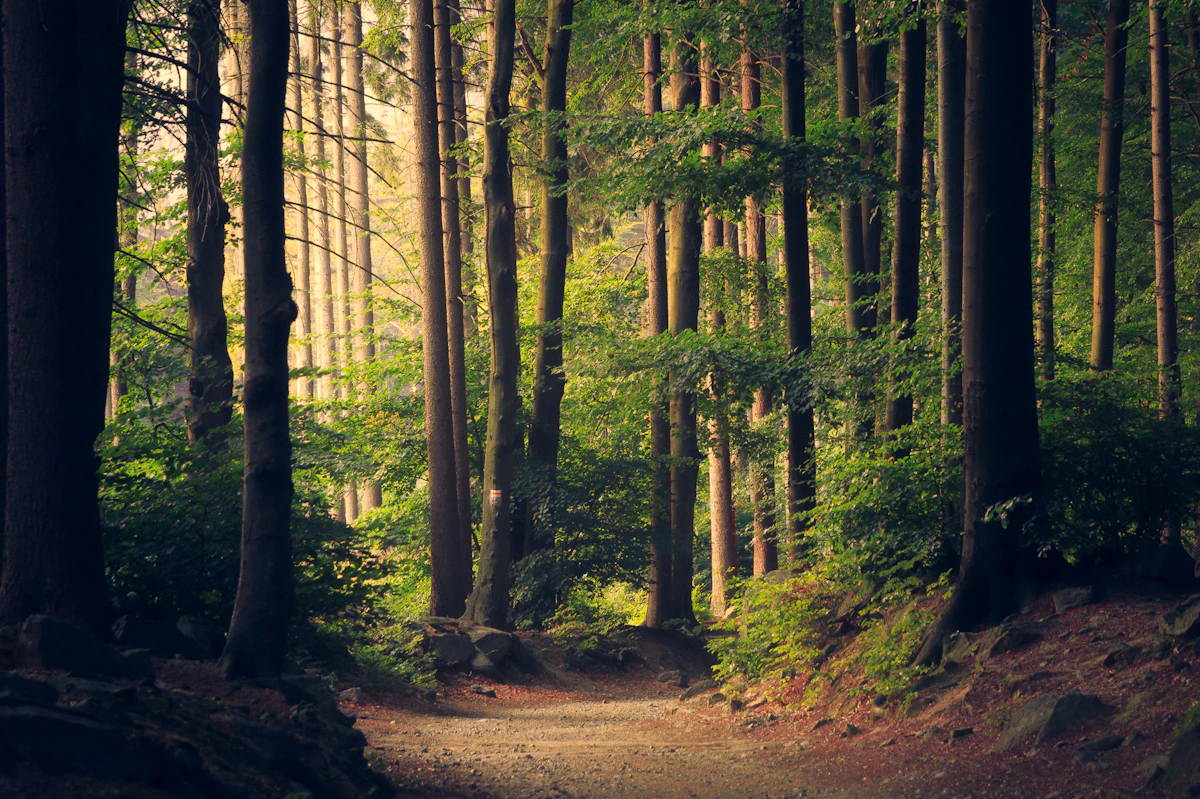
- Mist#F0FDF4rgb(240, 253, 244)hsl(138, 76%, 97%)
- New Leaf#BBF7D0rgb(187, 247, 208)hsl(141, 79%, 85%)
- Forest Green#22C55Ergb(34, 197, 94)hsl(142, 71%, 45%)
- Moss#15803Drgb(21, 128, 61)hsl(142, 72%, 29%)
- Bark#78350Frgb(120, 53, 15)hsl(22, 78%, 26%)
- Forest Floor#1C1917rgb(28, 25, 23)hsl(24, 10%, 10%)
Use this palette
Copy all hex codes or build a custom palette from your own photo in under 1 second.
Hex Codes at a Glance
#F0FDF4, #BBF7D0, #22C55E, #15803D, #78350F, #1C1917
Get More with Pro
Get the Forest kit, plus every other gallery kit
Hex, RGB, and HSL stay free above. PhotoTones Pro is $7/month for this Forest brand kit and every other gallery brand kit, plus kits from your own images.
- brand-guide.htmlPrint-ready visual guide
- tokens/W3C, Tokens Studio, Style Dictionary
- code/Tailwind, SCSS, CSS, light/dark themes
- figma/Variables + Tokens Studio JSON
- preview/Swatch PNG, plus composite for image kits
How to Use This Palette
- In CSS: Paste each hex into your
:rootcustom properties or directly intobackground-color/colordeclarations. - In Figma or Sketch: Copy the hex into any fill or stroke color field. Save each color to your local style library for reuse across frames.
- In Tailwind CSS: Add each hex to your
tailwind.config.jsfile insidetheme.extend.colors, then use classes likebg-palette-500. - In Procreate or Photoshop: Create a new swatch set and paste each hex value, or use the brand kit above for ready-to-import
.swatchesand.asefiles.
Build Your Own Palette
This forest palette is one of many themed palettes in the PhotoTones gallery. To build a palette from your own photo, use the free PhotoTones color palette from image generator — it extracts up to 12 hex codes per image in under a second, entirely in your browser. No signup required.
Related Palettes
Frequently Asked Questions
What hex codes are in a forest color palette?
This forest palette includes #F0FDF4, #BBF7D0, #22C55E, #15803D, #78350F, #1C1917. Copy any hex directly for CSS, Figma, Tailwind, or mood board projects.
How do I use a forest palette in web design?
Use vibrant tones for primary actions, muted tones for backgrounds, and dark tones for text. Upload your own forest-inspired photo to PhotoTones to extract a custom palette in under 1 second.
Can I build a custom forest palette from my own photo?
Yes. Open phototones.com, upload a forest-inspired image, and click Generate Color Palette. PhotoTones extracts up to 6 colors free (12 on Pro), entirely in your browser with no upload.
Can I download this forest palette as ASE, Figma Variables, or a brand kit?
Yes. PhotoTones Pro is $7/month for this forest brand kit and every other gallery brand kit, plus kits from your own images. Each ZIP includes Adobe ASE, Figma Variables, design tokens, Tailwind, CSS, theme files, and WCAG pairings. Hex, RGB, and HSL values remain free on this page.